

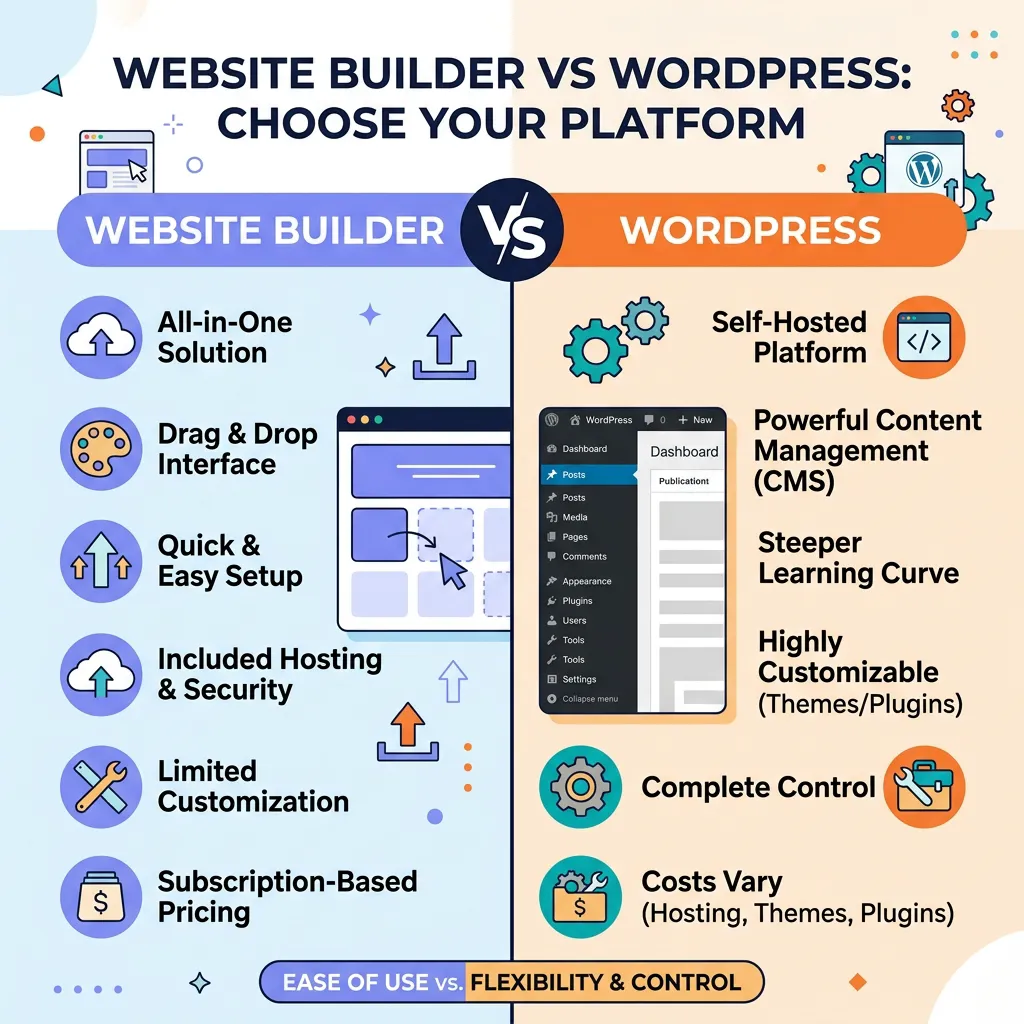
Website builder vs WordPress is a common choice for businesses planning a new website. Both can create professional websites, but they differ in setup, maintenance, customization, SEO, ecommerce, cost, and long-term management.
This guide compares website builders and WordPress for businesses and small business owners, with practical differences you can use to decide which approach fits your goals, technical skills, budget, and expected growth. If you want to build a website without coding, you can also explore Webruno’s website builder or the free website builder option.
If your priority is to build a professional website without coding, a modern website builder can provide the website creation tools and managed infrastructure in one place.
Website Builder vs WordPress at a Glance
If you are comparing WordPress vs website builder, the biggest difference is how much technical work you want to manage yourself. A website builder typically combines website creation and managed infrastructure, while WordPress gives you more control over hosting, plugins, themes and code.
For a small business that wants to launch without managing technical infrastructure, a website builder usually reduces setup and maintenance work. WordPress provides more control over hosting, plugins, themes and custom code. The right choice depends on how much technical control you need and how much ongoing maintenance you want to handle.
Comparison: Website Builder vs WordPress
Setup: A website builder is usually faster and simpler to launch, while WordPress requires hosting, installation and configuration.
Technical maintenance: Website builders often manage infrastructure, updates and security for you. WordPress typically requires the site owner or developer to manage updates, plugins, hosting and security.
Customization: WordPress offers extensive customization through themes, plugins and code. Website builders provide customization within the features and integrations supported by the platform.
SEO: Both approaches can support SEO. WordPress offers extensive technical control, while a website builder depends on the SEO tools and technical capabilities provided by the platform.
Ecommerce: Website builders may include products, checkout, payments and orders as built-in features. WordPress usually adds ecommerce through plugins or separate solutions.
Security and updates: Managed website builders often handle much of the infrastructure work. WordPress requires ongoing maintenance of the site, hosting, themes and plugins.
Ownership and portability: WordPress sites can generally be moved between hosts. Portability with a website builder depends on the provider and its export options.
What Is WordPress?
WordPress is an open-source content management system. It gives website owners extensive control over their hosting, files, database, themes, plugins and custom code.
WordPress can support everything from a simple company website to a large ecommerce operation or a highly customized application. Its ecosystem is one of its main strengths, but that flexibility also means more decisions and more ongoing maintenance.
What Is a Website Builder?
A website builder is a platform that combines website creation tools with the infrastructure needed to run a website. Most modern builders provide templates, visual editing, hosting and core technical services in one environment.
The main advantage is simplicity: instead of assembling hosting, software, themes, plugins and maintenance processes yourself, you can create and manage the website from a single platform. For businesses looking for a no-code website builder, this can reduce the technical work involved in launching and maintaining a site.
1. Website Builder vs WordPress for Small Business
For a small business, the practical differences often come down to time, technical skills and maintenance. A website builder can bundle hosting, templates, visual editing, updates and common business features into one service. WordPress can offer more flexibility, but the owner may need to choose hosting, themes, plugins and maintenance processes. If you are comparing WordPress vs website builder for business, consider who will manage those technical tasks after the website goes live.
2. Setup and Ease of Use
Website Builder
A website builder is generally designed to reduce the technical work required to launch a site. You can normally choose a design, add your business information, create pages and publish without installing software or configuring a server.
WordPress
WordPress is also easier to install than it once was, especially with managed hosting and one-click installation. However, building a complete site can still involve choosing a theme, configuring plugins, managing hosting and making technical decisions.
Key difference: website builders generally reduce the number of technical decisions you need to make, while WordPress gives you more control over those decisions.
3. Cost
Website Builder
Website builders commonly use subscription pricing. Depending on the platform, the subscription can include hosting, templates, security, updates, support and other features.
This makes costs easier to understand, although advanced features may require a higher plan.
WordPress
The WordPress software itself is open source, but a real WordPress website normally has other costs such as hosting, a domain, premium themes or plugins, backups, security and development.
The total cost therefore depends heavily on the way the website is built and maintained.
4. Customization and Flexibility
WordPress
WordPress provides extensive customization through themes, plugins and custom development. This makes it useful when a business needs functionality that is not available in a standard website builder.
Website Builder
A website builder provides a defined set of features and integrations. For many businesses this is an advantage because common functionality is already integrated and does not need to be assembled separately.
Key difference: WordPress offers broader technical freedom, while a website builder can provide a more controlled and simpler environment.
5. SEO: WordPress vs Website Builder
WordPress
WordPress can provide extensive SEO control. Depending on the setup, owners can manage URLs, metadata, structured data, redirects, sitemaps, performance and many other technical details.
Website Builder
Modern website builders can provide essential SEO features such as editable titles and descriptions, clean URLs, responsive pages and sitemap generation. The exact level of technical control varies by platform.
For either approach, rankings depend on much more than the platform itself. Content quality, search intent, site architecture, performance, links and the overall authority of the website also matter. See our website builder and SEO guide for a deeper explanation of how these factors work together.
6. Security and Maintenance
Website Builder
With a managed website builder, much of the infrastructure, platform updates and server-level security is handled by the provider. This can reduce the amount of technical maintenance required from the business owner.
WordPress
WordPress sites require more active maintenance. Themes, plugins, WordPress itself, backups and security configurations need to be kept under control. Managed WordPress hosting can reduce this workload, but responsibility still depends on the chosen setup.
7. Ecommerce
Website Builder
Some website builders include online store functionality directly: products, categories, carts, checkout, payments, inventory and order management can be part of the same platform.
WordPress
WordPress can also power sophisticated ecommerce websites, but ecommerce functionality is commonly added through WooCommerce or other plugins and services.
Key difference: if you want ecommerce functionality to be integrated from the beginning, an all-in-one platform can reduce the number of separate components you need to manage.
8. Scalability
Both approaches can scale, but they scale differently.
WordPress gives developers extensive control when a project requires custom functionality or unusual integrations. A website builder can scale by adding features, users, products, automation and higher-capacity plans offered by the platform.
The right choice depends on what kind of growth you expect: more customers and products do not necessarily require a custom-coded platform, while highly specialized technical requirements may.
9. Ownership and Portability
WordPress
With a self-hosted WordPress installation, the website's files and database can generally be moved between hosting providers. This gives owners significant control over where the site runs.
Website Builder
A hosted website builder operates within the provider's infrastructure. Portability varies by platform, so businesses should understand what can be exported before committing to a service.
Website Builder or WordPress: Which Should You Choose?
If you are searching for website builder or WordPress, focus on the amount of control and maintenance your business actually needs. WordPress is useful when you need deep control over hosting, plugins, themes or custom code. A website builder can simplify setup and ongoing management when you want to launch quickly without managing technical infrastructure.
10. When Does WordPress Make Sense?
WordPress can be a good fit when you need extensive customization, specific plugins, custom integrations, direct access to the underlying code or control over your hosting environment.
It can also make sense when your team already has WordPress development and maintenance expertise.
11. When Does a Website Builder Make Sense?
A website builder can make sense when your priority is launching quickly, minimizing technical maintenance, managing the website without developers, or keeping common business functions in one platform.
For a small business that needs a professional website, online store, customer management and everyday business tools without assembling multiple systems, an integrated platform can simplify operations.
12. What About Webruno?
Webruno combines website building with online store, CRM, SMS, payments and SEO tools in one platform. The goal is to let businesses create and manage their online presence without having to assemble multiple separate services.
If your main requirement is building a professional website without coding and managing it from one place, you can explore the Webruno website builder.
If you need ecommerce, products, orders and customer management as well, Webruno can keep those functions connected instead of requiring separate systems. You can compare the ecommerce workflow on our online store builder page.
Frequently Asked Questions
Is a website builder better than WordPress?
Neither option is universally better. A website builder generally simplifies setup and ongoing management, while WordPress provides more technical control and customization. The right fit depends on your business requirements.
Which is better, WordPress or a website builder?
WordPress can be the better fit when you need extensive control over hosting, plugins, themes or custom code. A website builder can be the better fit when you want a faster setup and less technical maintenance.
Which is easier for beginners?
Website builders are generally designed for beginners because hosting, software updates and many technical tasks are handled by the provider. WordPress can also be beginner-friendly with managed hosting and a well-configured setup, but it usually involves more choices.
Is WordPress better for SEO?
WordPress provides extensive technical SEO control, but using WordPress does not automatically produce better rankings. A modern website builder can also provide a strong SEO foundation. Content, site architecture, performance, relevance and authority remain important regardless of the platform.
Can a website builder run an online store?
Yes. Many modern website builders include ecommerce features such as product management, shopping carts, checkout, payments and orders. The exact features depend on the platform.
Can I build a professional website without coding?
Yes. Modern no-code website builders allow businesses to create and manage professional websites using templates and visual editing tools without writing code.
Final Takeaway
Website Builder vs WordPress is not simply a question of which technology is more powerful. It is a question of which approach fits the business.
Choose WordPress when you need extensive technical control, a large plugin ecosystem or custom development. Consider a website builder when you want a faster setup, less infrastructure management and an integrated environment for running your website and business.
For businesses looking for a no-code website builder with website, ecommerce and customer-management capabilities in one platform, Webruno's website builder is one option to explore.