


Popular Website Design Tools
Why the Tool You Pick Actually Matters
Anyone who has built more than one website will tell you the same thing: the tool you start with shapes everything that comes after it. It's not just about how the site looks on day one — it decides how fast you can move later, how much you'll spend on maintenance, and whether your team can actually keep up with it.
Pick the wrong one and you'll feel it fast — slow load times, clunky updates, rising costs, and a site that never quite ranks the way it should. Pick the right one, and most of those headaches simply don't show up. Updates get faster, growth gets cheaper, and your team spends less time fighting the platform and more time actually running the business.
Four Main Categories of Website Design Tools
Broadly speaking, most website tools on the market fall into one of four groups: drag-and-drop website builders, content management systems such as WordPress, custom programming frameworks, and the newer generation of hybrid, all-in-one platforms. Each one solves a different problem, and none of them is "the best" in every situation — it really comes down to what you're building and who's going to run it.
Website Builders
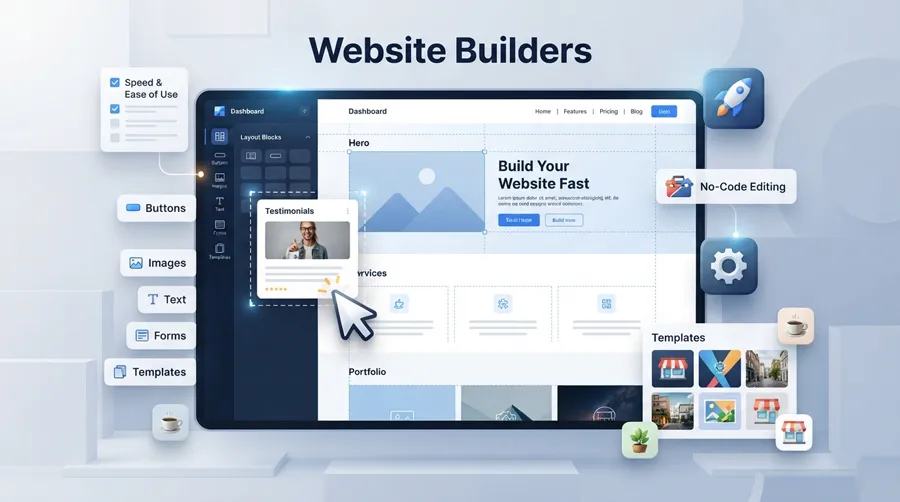
Website builders let you put a site together visually, dragging blocks and sections into place instead of writing code. For a lot of small businesses and solo founders, this is where they start — and honestly, it's often where they stay.
What stands out:
No coding needed, a simple interface almost anyone can pick up, a setup that takes hours instead of weeks, and templates that already look polished out of the box.
Where they shine:
They're ideal for people just getting started, they get a site live quickly, the upfront cost is low, and day-to-day management stays simple even without technical staff.
Where they fall short:
Customization has limits, you're tied to whichever platform you chose, and there's a ceiling on how far you can scale before you outgrow the tool.
Who they're really for:
Personal sites, small businesses, and straightforward landing pages. If you're weighing a builder against a fully custom build, this comparison of website builders versus custom web design lays out the trade-offs in more detail.
CMS Platforms Like WordPress
WordPress needs almost no introduction — it powers a huge share of the websites you visit every day, from personal blogs to major online stores.
What stands out:
It's open-source and free to start with, backed by thousands of themes and plugins, and supported by one of the largest communities in web development.
Where it shines:
Flexibility is its strongest card — it's genuinely SEO-friendly when set up correctly, endlessly extensible, and there's rarely a problem someone in the community hasn't already solved.
Where it falls short:
It needs ongoing maintenance, security becomes a real concern if it's not kept updated, plugin conflicts happen more often than people expect, and larger projects can get messy fast.
Who it's really for:
Blogs, online stores, and corporate sites that need more depth than a basic builder can offer. If SEO is a priority, it's worth reading how professional web design choices affect your search rankings before committing to a platform.
Programming Frameworks
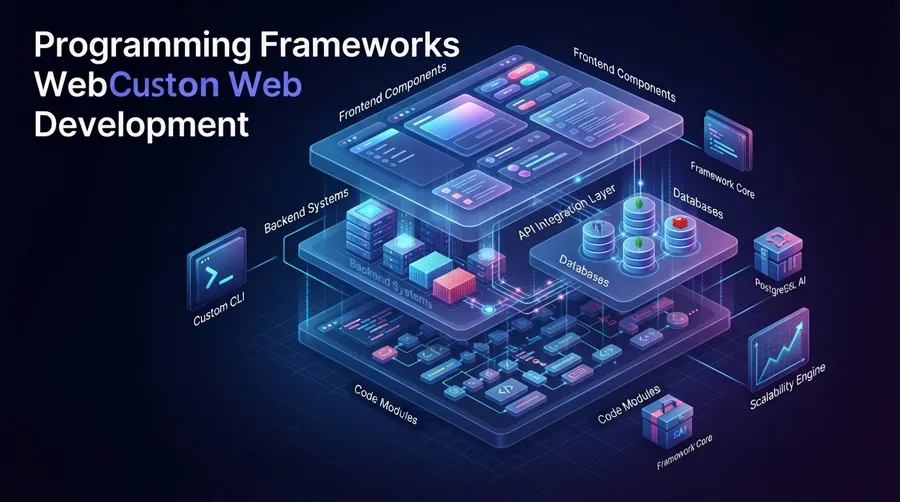
This is the route developers take when nothing off-the-shelf fits the job — full custom builds using frameworks like Laravel, Django, React, or Next.js.
What stands out:
Complete control over the project, no design constraints, strong performance, and security that's built to your own specifications rather than a template's.
Where it shines:
Nothing beats it for fully custom functionality, heavy traffic, serious scalability, or complex, multi-part systems.
Where it falls short:
It's expensive, it needs a technical team to build and maintain, and timelines stretch out much longer than with a builder or CMS.
Who it's really for:
Complex applications, enterprise systems, and large platforms where the budget and team size can support it.
Hybrid & Intelligent Platforms
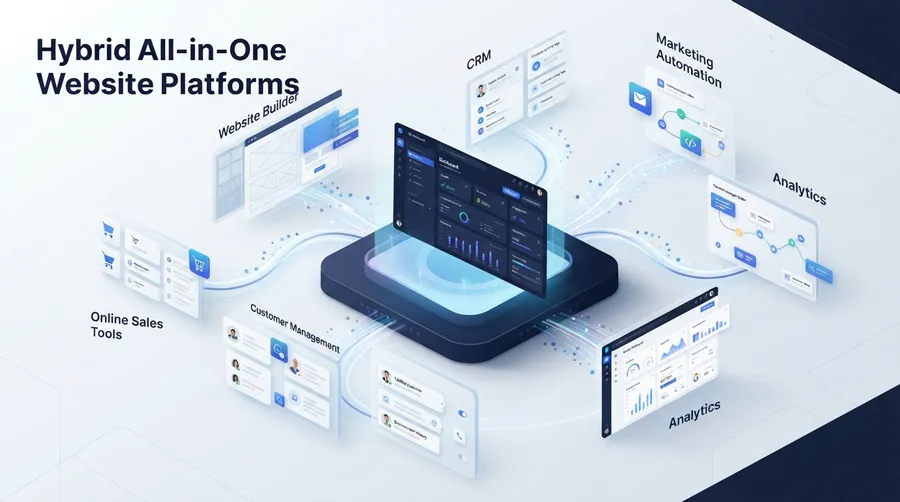
A newer category has been gaining ground: platforms that fold a website builder, a CRM, and marketing automation into a single system. Instead of stitching together separate tools that don't talk to each other, everything lives in one place.
Webruno is a good example of this — it combines site building, customer management, and marketing automation, so store owners aren't juggling five different logins just to run their business.
What stands out:
A built-in builder, CRM, and automation working together, one unified dashboard, no need to buy and connect separate tools, and a structure that's built to keep pace with a growing business.
Where it shines:
Fewer subscriptions to pay for, more gets done without hiring extra hands, day-to-day management is simpler, and it scales well as the business grows.
Where it falls short:
Like any platform, you're somewhat tied to it, and there's a short learning curve at the start.
For anyone weighing this kind of platform against a more limited builder, this breakdown of using an all-in-one system for business growth is worth a look.
Comparing the Options
By cost:
Website builders sit at the low end, WordPress lands in the middle, custom frameworks run high, and hybrid platforms vary depending on the plan and features you need.
By speed to launch:
Builders are the fastest by far, WordPress isn't far behind, frameworks take the longest, and hybrid platforms move quickly since most of the setup is already done for you.
By flexibility:
Builders are the most limited, WordPress offers solid flexibility, frameworks give you nearly unlimited control, and hybrid platforms sit somewhere in the middle-to-high range.
Which One Actually Fits Your Business?
If you're just starting out, a straightforward builder is usually the easiest entry point. Small businesses tend to do well with either WordPress or a builder, depending on how much content management they'll need. Mid-sized businesses often outgrow both and move toward a more advanced CMS or a hybrid platform that can handle sales, customers, and marketing together — something covered in more depth in this guide to using a CRM to grow sales. Larger companies, meanwhile, usually have the budget and technical team to justify a fully custom framework.
How Your Tool Choice Affects SEO
The platform you build on has a direct, measurable effect on search performance. Page speed, clean underlying code, a smooth user experience, and room to scale all play into how well a site ranks over time — not just what you write on the page. If SEO is a priority for you, this guide on optimizing a website for search engines goes into the specifics.
Mistakes Businesses Commonly Make
A few patterns show up again and again: choosing a tool based on price alone, not thinking about where the business will be in two years, treating SEO as an afterthought, and picking a system so complex that nobody on the team can actually run it day to day.
Where Website Tools Are Headed
The direction is fairly clear at this point — more AI-assisted building, marketing that runs itself in the background, platforms that bring everything under one roof, and less reliance on writing code by hand. Platforms built around this idea, like Webruno's own website builder, are already leaning into where the industry is heading rather than trying to catch up later.
Final Thoughts
There's no universal "best" tool — that idea doesn't really hold up once you look at how differently businesses actually operate. The right choice always comes down to your budget, your team, and where you want the business to be in a year or two.
If you'd rather not manage three or four disconnected tools just to run one website, an all-in-one platform is worth a serious look. You can see what that looks like on the Webruno plans page, or start building directly with a free trial.