


Instagram is great for getting discovered, but it was not built to run a shop. As orders grow, you end up answering the same questions in direct messages, tracking orders in a notebook and losing customer details inside someone else’s app. A website builder for an Instagram shop gives your followers a place to browse, order and come back, while Instagram keeps doing what it does best.
This guide explains what such a website should include, how to build one without coding, and how to start for free with Webruno.
Why Instagram Alone Gets Hard as You Grow
- Messages become your order system. Prices, availability and payment details are repeated in every chat.
- Orders get lost. A request in a long thread is easy to miss.
- You do not own the relationship. Your followers and conversations live inside a platform you do not control.
- Reach changes. A drop in reach hurts sales if Instagram is your only channel.
- No search traffic. People searching Google for what you sell will not find your page.
What a Website Builder for an Instagram Shop Should Include
- Product pages with photos, prices, descriptions and categories, each with its own link you can post in Stories or send in chats.
- Order management so every order is recorded in one place.
- Inventory tracking so you do not sell what you no longer have.
- Customer records you own, ideally with a built-in CRM.
- Mobile-friendly pages, because most Instagram visitors arrive on a phone.
- SEO controls for titles, descriptions and URLs, so Google can send you extra visitors.
- No coding and simple editing, so you can update the store yourself.
A plain website builder shows information. An ecommerce builder also handles products, orders and customers. For selling, choose the second kind.
How to Build an Instagram Shop Website With Webruno
- Create a free account. The free plan includes the AI page and section builder.
- Build your pages. Describe your business and let the AI builder draft the first version, then replace the placeholder text with your own.
- Add products with clear photos, prices and short descriptions. The free plan includes up to 20 products.
- Set up payment. On the free plan, customers pay by manual bank transfer. For card payments, see how to connect a payment gateway.
- Publish on your free webruno.com subdomain and connect your own domain when you are ready.
- Connect Instagram to the store: put the link in your bio, share product links in Stories and posts, and use the same links in your direct messages.

How Instagram and Your Website Work Together
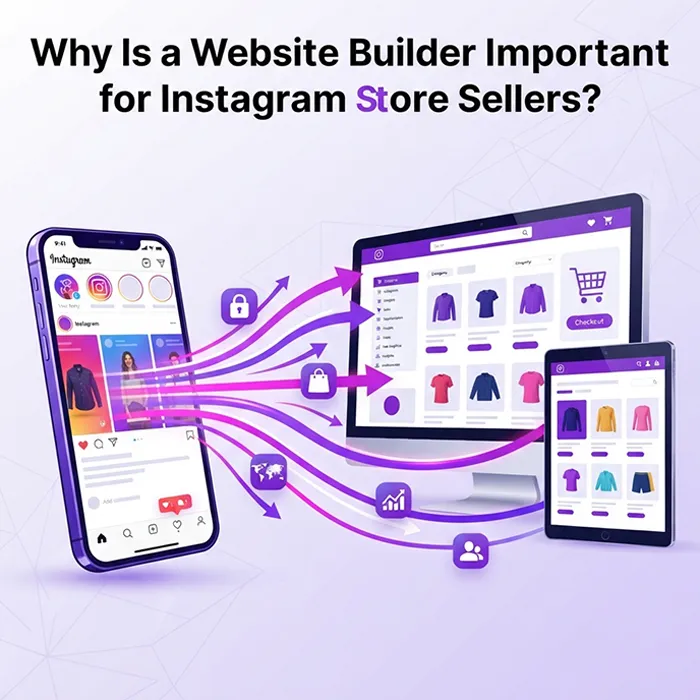
Think of it as a simple path: a customer sees a post or Reel, taps the link in your bio or Story, lands on the product page, places an order, and later hears from you again. Instagram creates the interest. The website handles the order and keeps the customer’s details so you can follow up.
Keep Your Customers in a CRM
Every order adds a customer to your list. In Webruno CRM you can add notes, set follow-up tasks and see each customer’s order history, instead of searching old messages. If you are not sure you need one yet, read CRM for small business: do you really need one? For a closer look at how the store and CRM fit together, see online store with built-in CRM and SMS.
Instagram Only vs Instagram Plus a Website
| Instagram only | Instagram + website | |
|---|---|---|
| Orders | Tracked in messages | Recorded in one dashboard |
| Customer data | Inside the platform | In your own CRM |
| Product information | Posts and captions | Organized product pages |
| Google traffic | Very limited | Possible with SEO |
| Setup effort | Minutes | A few hours |
Instagram only is a fine way to start and test products. Add a website when orders and questions start to take too much of your time.
What It Costs
You can start for free: the free plan includes the AI page and section builder, up to 20 products and a free webruno.com subdomain. See the plans page for current limits and paid plans, and our guide to how much it costs to build an online store for the wider picture.
Common Mistakes Instagram Sellers Make
- Managing every order in direct messages until something is missed.
- Not collecting customer details, so there is no one to follow up with.
- Depending on one platform for all traffic.
- Skipping SEO, so the website cannot bring in Google visitors.
- Using several disconnected tools for website, orders and customers.
Related Guides
- Online store for WhatsApp sellers, if you also take orders in chats.
- AI website builder for small business, to build the first version faster and manage it with Claude.
- Online store builder, for the full list of store features.
Frequently Asked Questions
Can I sell on Instagram without a website?
Yes, especially when you are starting out. As orders grow, a website helps you manage orders and customers more easily.
What is the best website builder for an Instagram shop?
Choose one built for selling, with product pages, orders, inventory, customer records and SEO controls, plus a free or low-cost start. Webruno includes these in one account.
Do I need coding skills?
No. You build and edit the store visually, and the AI builder can draft pages for you.
Can Webruno manage my Instagram customers?
Webruno CRM keeps customer records, notes, tasks and order history for people who order through your store. It does not replace your Instagram conversations.
Do I need a payment gateway?
No. You can start with manual bank transfer on the free plan and add a gateway later.
Start Your Instagram Store
Ready to turn followers into customers? Create your free Webruno account and build your online store today.