


What Is a Website Builder? Benefits and Comparison with Custom Design
Having a website today isn't optional — it's the baseline for doing business online. But for a lot of people, the idea of custom website design sounds expensive, slow, and technical. That's exactly the gap that website builders fill. So what is a website builder, really, and why do so many small businesses choose one over hiring a developer? Let's break it down.
What Is a Website Builder?
A website builder is a web-based platform that lets you build and manage a website visually — using drag-and-drop tools — without writing a single line of HTML, CSS, or JavaScript.
Unlike custom development, everything comes bundled together: hosting, a domain (or subdomain), ready-made templates, and a content management system, all in one place. You're not stitching together five different services; you log in and start building.
Why Use a Website Builder? 7 Key Advantages
1. Lower Cost Upfront
Instead of paying a developer thousands of dollars, you pay a monthly or annual subscription that covers hosting, templates, and support. If you want a full cost breakdown, our guide on how much it costs to build an online store walks through real numbers.
2. Fast to Launch
A custom-built site can take weeks or months. With a builder, you can realistically have a working site live within a day. If you want to see the actual process, we wrote a step-by-step walkthrough: How to Build a Website with Webruno.
3. No Coding Required
The interface is built for non-technical users. You focus on content and your business, not debugging code.
4. Responsive Templates Out of the Box
Templates automatically adapt to mobile, tablet, and desktop, so you don't need a separate mobile strategy.

5. Easy Day-to-Day Management
Updating text, swapping images, adding products — all of it is a matter of clicking and editing, no developer required for small changes.
6. Built-In Features
Most builders include SEO tools, analytics, e-commerce functionality, forms, and social integrations natively. If SEO is a concern, we've covered this in depth here: Is a Website Builder Good for SEO?
7. Security and Backups Handled for You
The platform's team manages updates, security patches, and backups — one less thing on your plate.
Website Builder vs. Custom Design: A Side-by-Side Comparison
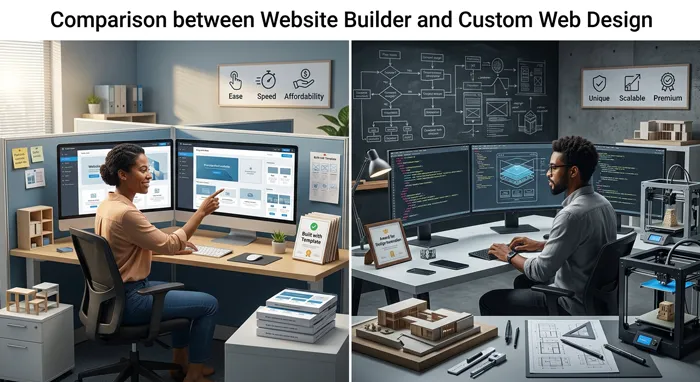
CriterionWebsite BuilderCustom DesignInitial CostLow (subscription-based)High (upfront + ongoing dev costs)Launch TimeHours to daysWeeks to monthsTechnical Skill NeededNoneRequires a development teamFlexibilityLimited to platform featuresFully customizableOngoing ManagementEasy, handled by the userUsually needs a developerBest ForSmall/medium businesses, startups, portfolios, blogsLarge-scale, highly custom platforms (marketplaces, banking systems)
For a deeper dive into this comparison, see Website Builder vs. Custom Web Design, and if you're weighing builders against WordPress specifically, check out Website Builder vs. WordPress.
Is a Website Builder Right for You?
If your goal is a fast, affordable, professional-looking website and you don't need highly specialized functionality, a website builder is almost always the right call. It's what has made it possible for small business owners — not just developers — to have a real presence online.
That said, if your project needs custom algorithms, heavy backend logic, or has to operate at very large scale, custom development is still worth the investment.
Not sure where to start? Our Learn section has guides covering everything from setup to growth, and you can compare pricing plans to see what fits your budget.
Frequently Asked Questions (FAQ)
Are website builders good for SEO?
Yes. Most modern builders include built-in SEO tools — title tags, meta descriptions, clean URLs, sitemaps, and mobile optimization — that are competitive with custom-built sites. See our full breakdown: Is a Website Builder Good for SEO?
Can I build an online store with a website builder?
Yes — most builders support full e-commerce functionality: product management, cart, payment gateways, and inventory. If you sell through Instagram specifically, we have a dedicated guide: Best Website Builder for Selling on Instagram. For connecting payments, see How to Connect a Payment Gateway.
If I use a website builder, do I own my site?
Your content and domain are yours. However, the underlying code and platform infrastructure belong to the builder — you can't export the raw codebase to run elsewhere. Always check the platform's terms of service before committing.
Do I need a CRM alongside my website builder?
Not necessarily at first, but as your customer base grows, it helps. See CRM for Small Business: Do You Really Need One? to decide.